❤️ Contribution Guide
- 👤 Account Creation
- 📄 Updating a Page
- 📝 Creating a Page
- 📑 Chapter Creation
- 📘 Book Creation
- 📚 Shelf Creation
- Always explain why something is done i.e context
👤 Account Creation
Username & Email
As with any collaborative software you first need to make an account before you can contribute. As you might have noticed, Deternet has split its different sectors in different Bookstack instances for simplicity. In this way users can completely focus on one thing without being distracted with information they don't necessarily need in that moment.
Now, this does also mean if you want to contribute to multiple instances that you need to create multiple accounts for each instance. Therefore, it is recommended to
- Use the same username and email amongst instances s.t credibility transfers between instances.
Also, our moderators will then be able to give you the same editing privileges you had on the other instances. For this to work username and email must be the same.
Security
Bookstack at this moment has no revision or approval workflow i.e where changes are first reviewed by moderators before they are published. Now, maybe this function will appear in some future releases since there is a great deal of discussion for this feature at the Codeberg Bookstack Repository. However, for now we need to deal with it in a different way.
To prevent spam on the instances we force contributors to setup
- Email Confirmation
- Two factor Authentication ()
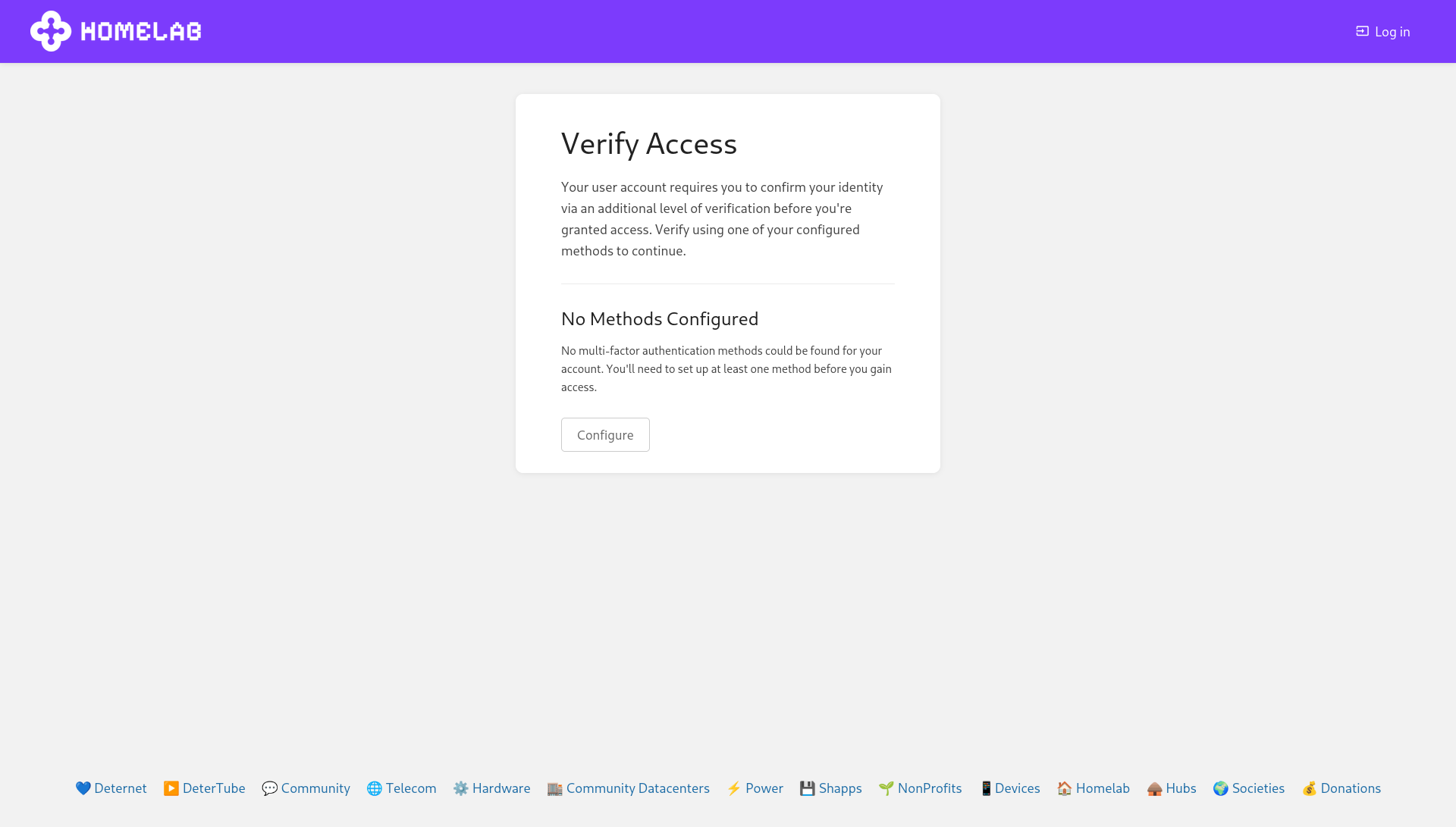
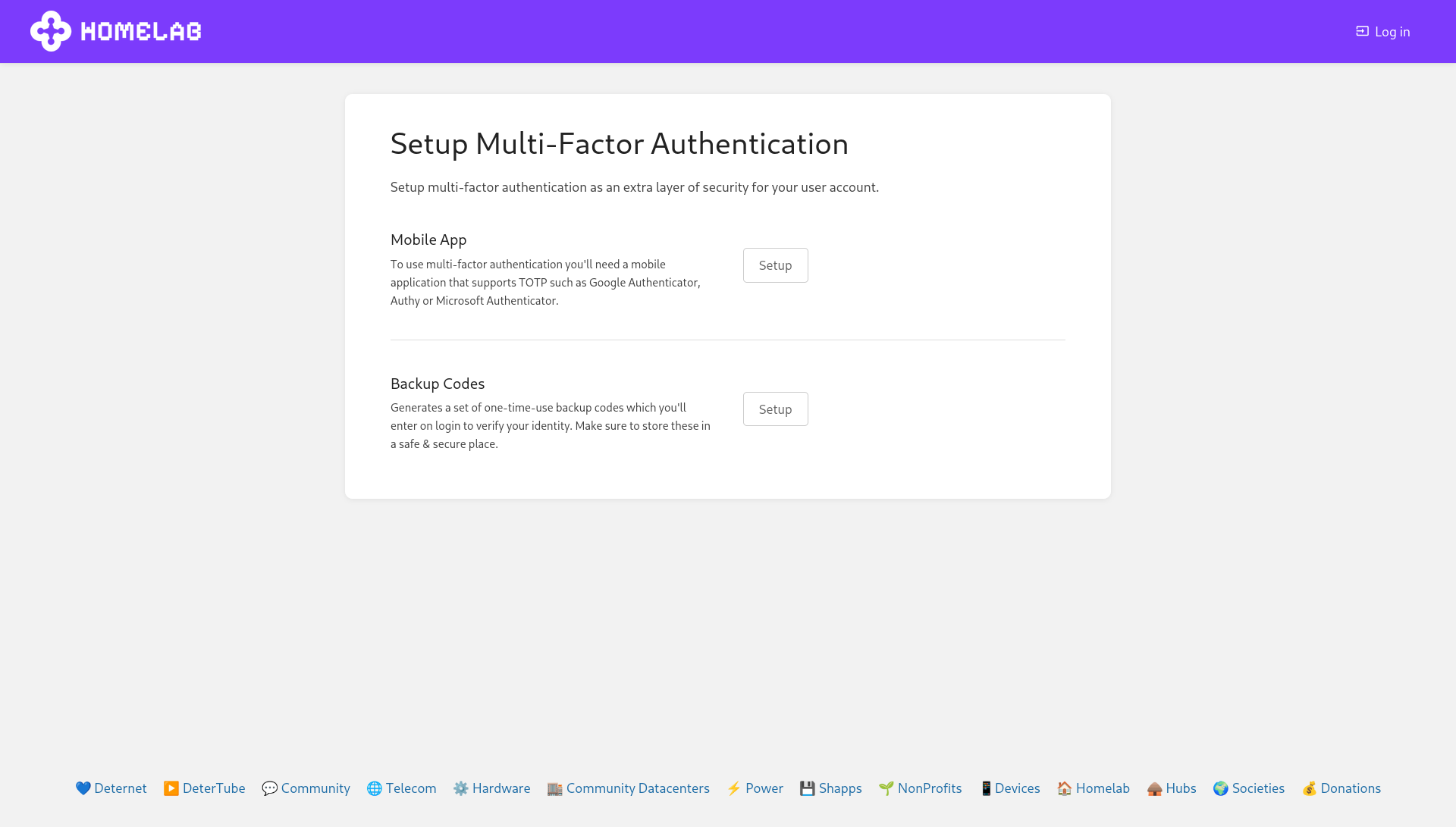
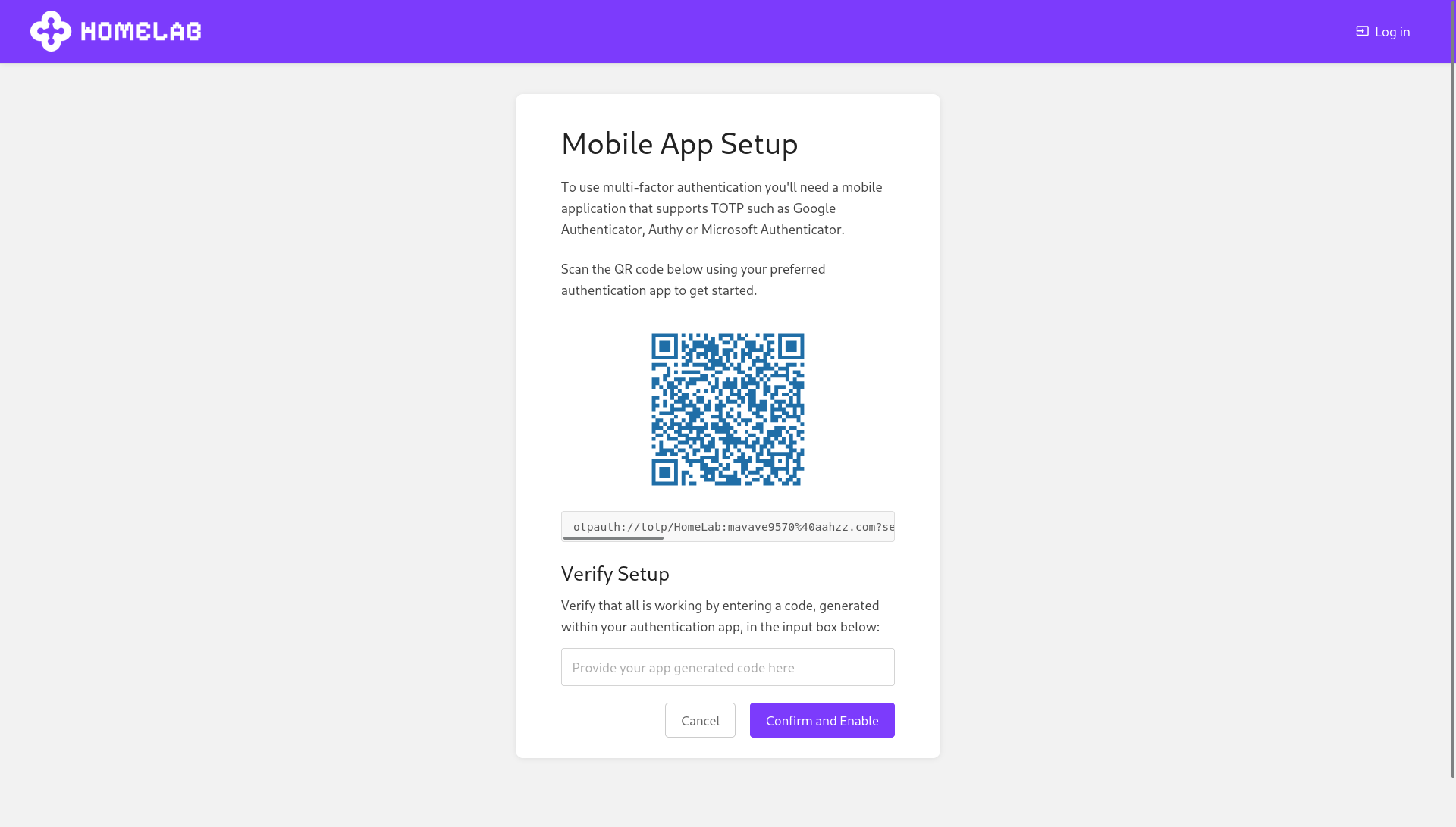
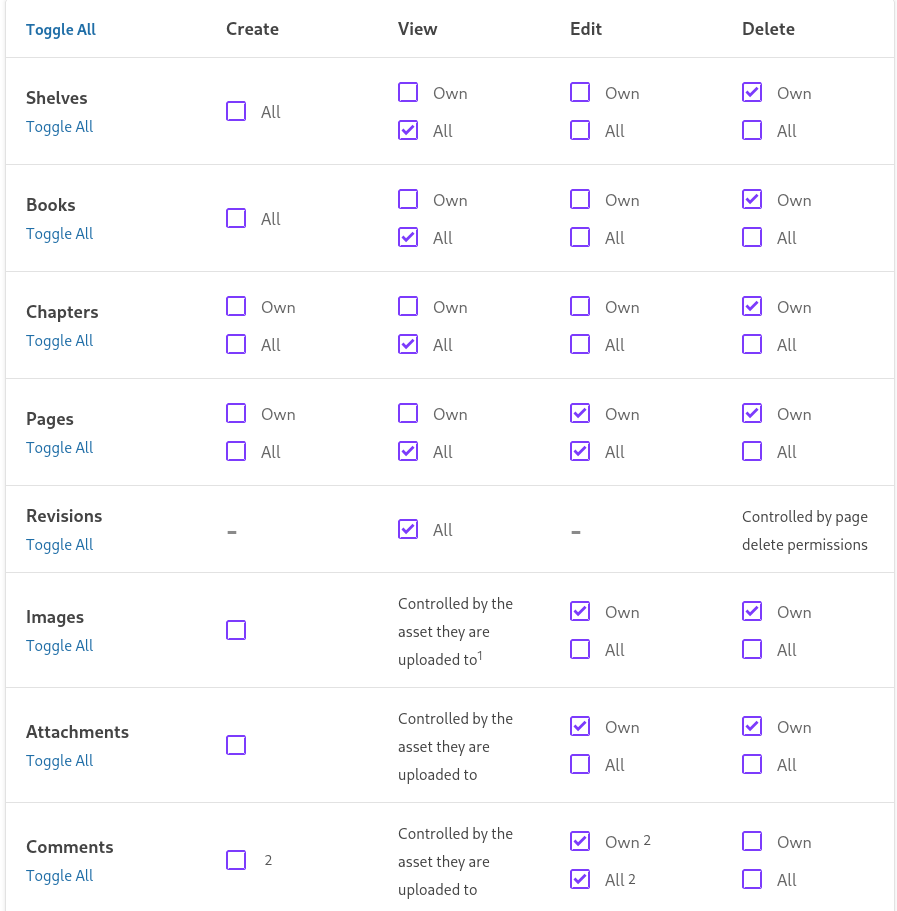
Default NewUser Policy
Impersonation
If a person or bot impersonated you with the same username and/or profile picture on another instance then please inform us about it via email
Send an email with the email address that is connected to your account to bookstack@deternet.org. Because you could send an email with your email address it will prove that you own the account and not the impersonator.
After you have send the email we will delete the account with your username and recommend to create an account with your username and email address you used on the original instance you signed up for. We will always see the first instance you signed up for as the authoritative user
Viewer
Editor
Admin
📄 Updating a Page
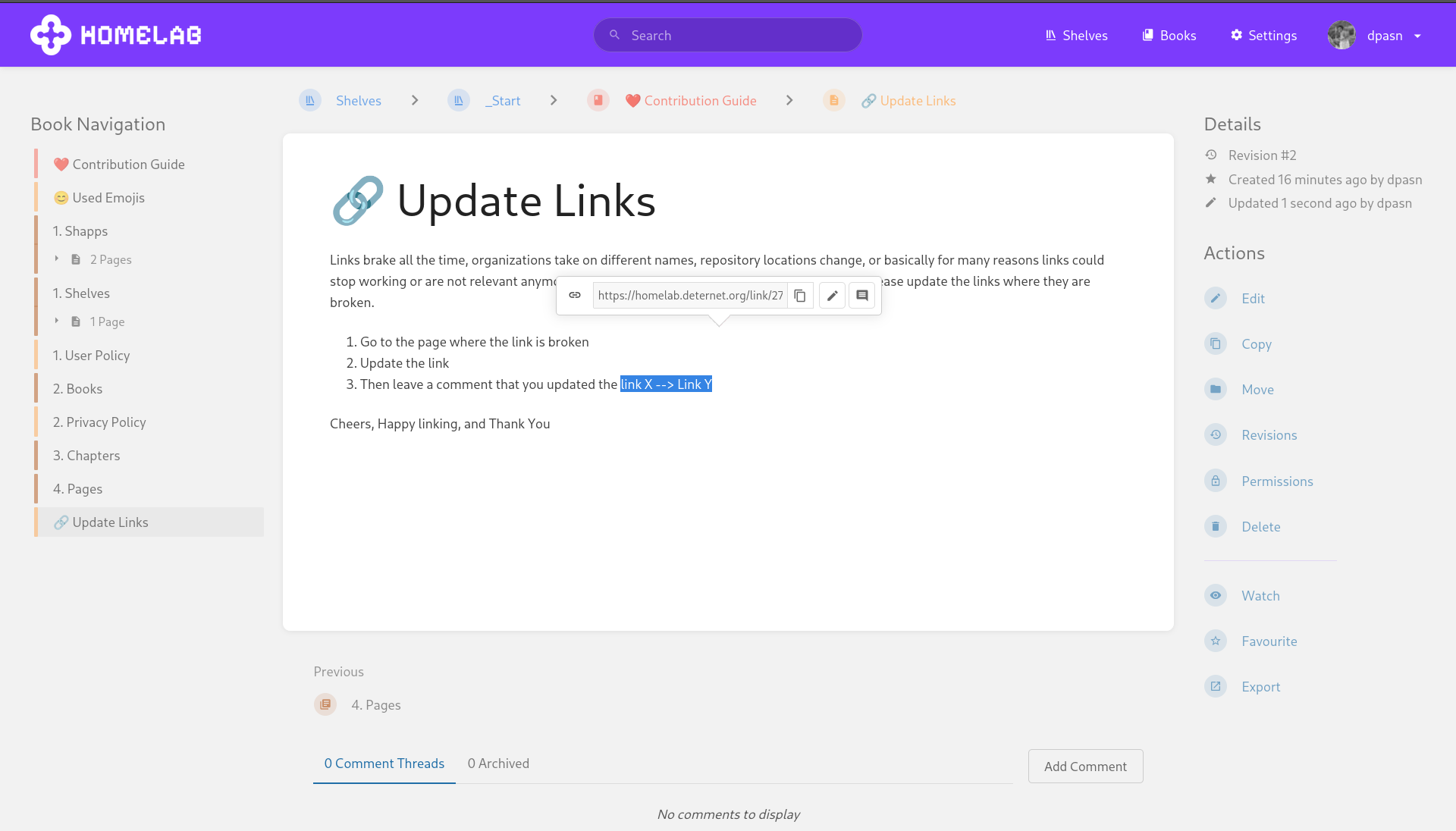
Links brake all the time, organizations take on different names, repository locations change, or basically for many reasons could stop working or are not relevant anymore. Therefore, if you encounter such a situation then please update the links where they are broken.
- Go to the page where the link is broken
- Update the link
- Then leave a comment that you updated the link X --> Link Y
Now, it might be the case that you are scrolling through the documentation and notice a mistake or notice that a piece is outdated. In that case recommend to
- Highlight the piece of a page that is incorrect and add a comment with an explanation to it. Instead of directly adding the piece you can also add it to review s.t the person creating it has time to adjust the writing as how they please or change it up al together.
- Then the moderators of these instances will see if it must be removed or not.
ChangeLog
Each time you do an Edit on a Page we require you to add a changelog message to the change you have done.This does not need to be a long message but just enough for moderators to quickly scan what has been changed. Also, you can view the changelog in the revisions section of each page as well. Finally, adding a ChangeLog allows for people to understand the context and reasoning why a change has been made.
For instance is a link is not resolving anymore one could update the link and add a changelog: Link to Repository is outdated, the repository is now hosted on Codeberg instead of Github.
That's it folks cheers and happy Editing ;)
📝 Creating a Page
📑 Chapter Creation
📘 Book Creation
📚 Shelf Creation
Always explain why something is done i.e context
Source: AskOro
Here's the part that no configuration change fixes.
BookStack search finds content in BookStack. Your team's knowledge doesn't all live in BookStack.
When your team makes a decision, the process looks something like this:
1. Someone posts a question in Slack
2. A thread of 15 messages develops, covering options A, B, and C
3. Someone creates a GitHub PR with the implementation
4. The PR gets reviewed with 8 comments explaining why option B was rejected
5. Eventually someone (maybe) writes a BookStack page summarizing the outcome
The BookStack page, if it exists, covers the conclusion. The Slack thread covers the debate. The GitHub PR comments cover the technical reasoning. None of those three sources knows about the other two.
When a new team member searches BookStack for context on that decision, they find the conclusion. They don't find why. And for many decisions, the why is what matters.
How Teams Solve This
Most teams that run BookStack also run at least Slack and GitHub. The knowledge lives in all three, and they're not connected.
The most common patterns:
Pattern 1: Manual cross-referencing. Team members add Slack links or GitHub PR links to BookStack pages. Requires discipline, doesn't scale, breaks when Slack messages get deleted or channels are archived.
Pattern 2: Separate search tool. Tools like AskOro connect BookStack-adjacent tools (Slack, GitHub, Notion, Confluence, Jira) into one searchable layer. BookStack doesn't have a native integration with most of these, but the data sources AskOro connects are the same ones your team uses alongside BookStack.
Pattern 3: More documentation. Teams add a rule: any decision made in Slack or GitHub must be summarized in BookStack within 48 hours. Works in theory. In practice, documentation debt accumulates and the rule gets ignored under pressure.