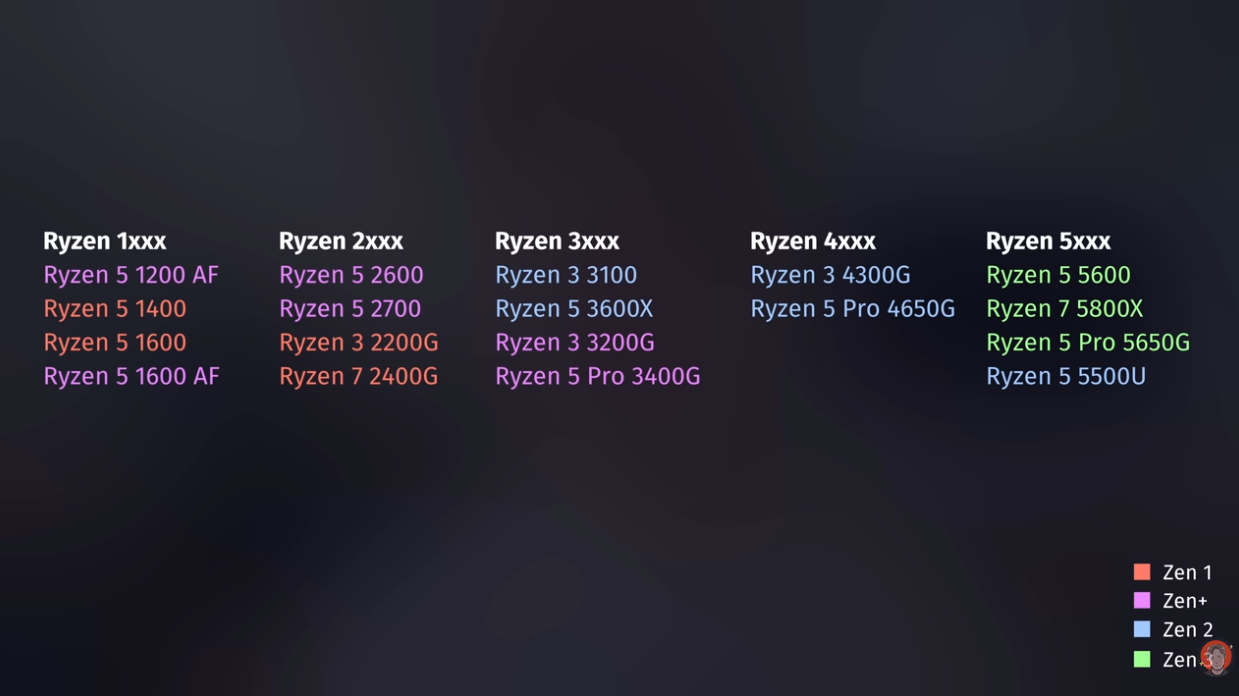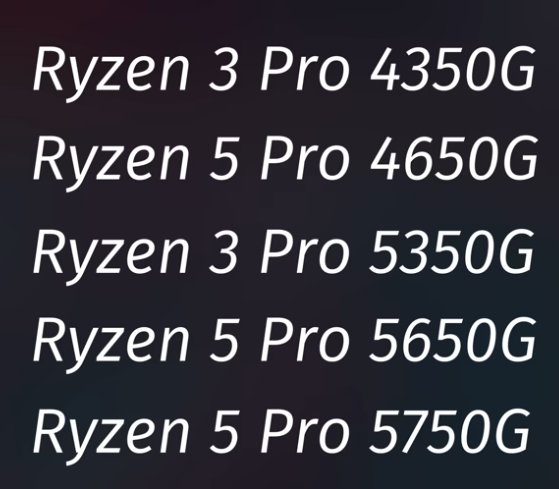
AMD CPU
AMD 4000 G Series
With a CPU that comes with integrated graphics you don't need an extra GPU to install an operating system. It is perfect to have a CPU with some graphics s.t you can install an operating system on it at least. If you don't have a CPU with graphics then you need to bring a GPU to install the OS. After that you can remove the GPU if you want to and run it without graphics. This is because you can access the proxmox dashboard without graphics. Problem is if something is wrong then you cannot troubleshoot since you don't have a screen to look at in the terminal
Headless Server
You can run a server headless as well: This means that it does not have a display but you connect to it over SSH
You can first install the operating system via the dedicated GPU or integrated graphics. After that you can then pass through the graphics to a VM. In this way you can create multiple VM's and try out different operating systems and can even create VM's for your friends as well.
If the CPU has no integrated graphics and there’s no discrete graphics card, you generally can’t see or interact with the BIOS on a standard gaming motherboard. Its HDMI/DisplayPort outputs won’t produce video because they rely on graphics built into the CPU.
The machine may still power on or boot, but you’d need to install a graphics card temporarily, use a motherboard with a BMC/IPMI remote console, or connect a compatible external KVM-over-IP device to get BIOS video and input.
Some motherboards like server motherboards will start directly when turning on the power supply. However, consumer products need to have a power button plug to turn on the PSU. I had big problems with this for a long time, because I was only used to server motherboards and not to consumer hardware. So ! If you are testing make sure that you short circuit it, since then the motherboard will start basically.
Support ECC Memory is important
Mandatory Display
Some motherboards require a hdmi connection to booth. This is of course annoying if you don't want a screen connected to it. Hence, you can buy a dummy screen HDMI plug that makes the motherboard think that a screen is present s.t it can boot. I would recommend to buy them and leave them inside of the server
JetKVM
JetKVM does need a CPU with integrated graphics. If you pass through the graphics from the CPU to a VM then you won't have any display anymore on your JetKVM.